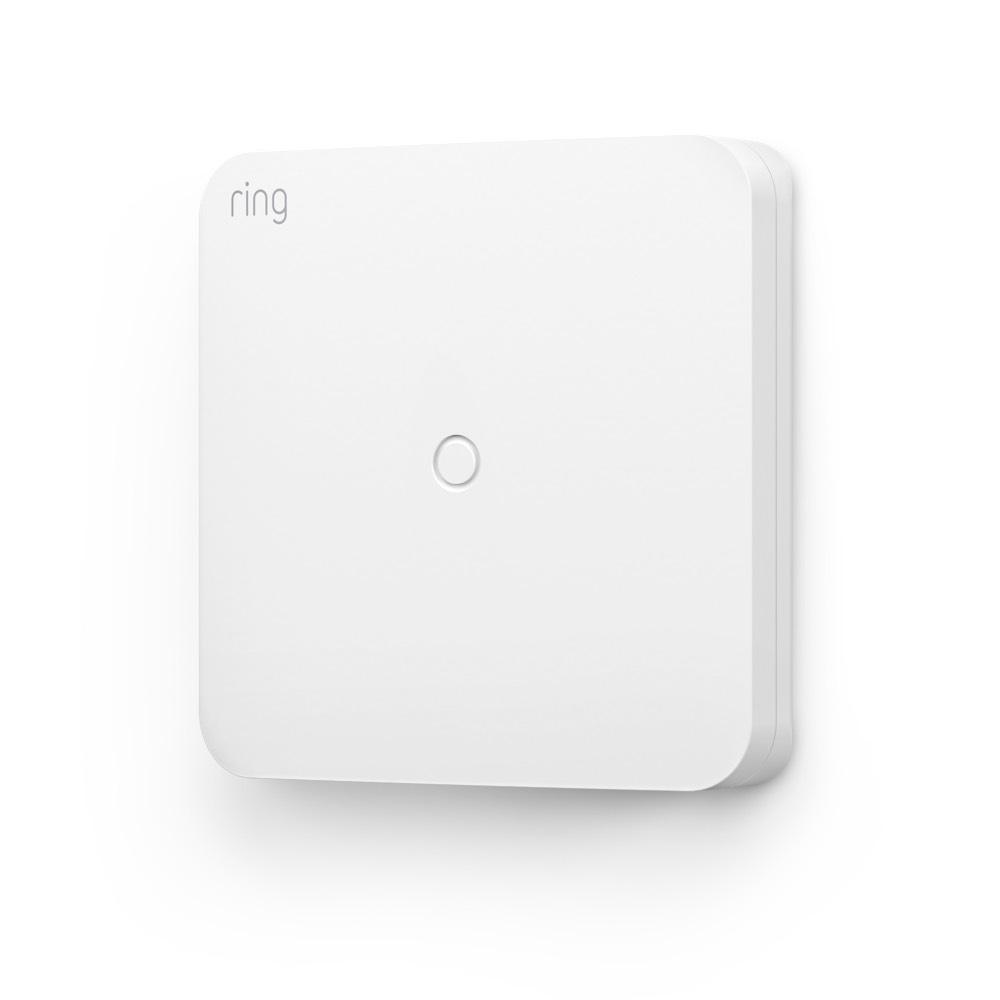
Retrofit Alarm Kit
How customer reviews and ratings work
Customer Reviews, including Product Star Ratings help customers to learn more about the product and decide whether it is the right product for them.
To calculate the overall star rating and percentage breakdown by star, Amazon doesn't use a simple average. Instead, Amazon's system considers things like how recent a review is and if the reviewer bought the item on Amazon. It also analyzed reviews to verify trustworthiness.
Learn more how customers reviews work on Amazon
$79.99
See if you qualify.You might also like
- Does not ship to Quebec.
By entering your email you are opting in to marketing communications from Ring. You can unsubscribe anytime.
New life for old alarms.
Retrofit Alarm Kit allows you to connect your existing hardwired contact sensors to your wireless Ring Alarm system.
- Get started with help from a professional alarm installer (recommended, but not required).
- Wire up to 8 zones with one Retrofit Alarm Kit (Note: not for use with wired smoke or CO detectors or existing keypads).
- Sends notifications to your phone and tablet when your Alarm sensors are triggered.
- Subscribe to Ring Protect, sold separately, to arm and disarm Ring Alarm from the Ring app.


More powerful protection starts here.
Subscribe to a compatible Protect Plan to Arm and Disarm your system remotely, stay protected during an internet outage, plus get 24/7 emergency support, and more. You'll only pay for what you need.
Learn More
-
![Firefighter walking towards fire truck.]()
24/7 Professional Monitoring
We’ll request dispatch of emergency responders when break-ins or other emergencies are detected by your Ring security.1 -
![Alarm base station with graphic wifi icon hovering above.]()
Alarm Cellular Backup
If your home loses internet connection, Alarm Cellular Backup keeps your Ring Alarm system connected.3 -
![Graphic phone frame showing device modes. Text reads “home, away]()
Remote Arm and Disarm
Whether you’re across town or across the world, Arm your system right from your phone. Almost home? Disarm it remotely, too, from the Ring app. -
![Graphic phone frame showing 3 S.O.S. emergency response icons, text reads “request emergency response.”]()
SOS Emergency Response
When emergencies arise or you need help, tap the SOS button in the Ring app to immediately request emergency services.4


Tech Specs
Supported Devices
Requires Ring Alarm or Alarm Pro (sold separately)
Size and Color
4.53 in. X 4.53 in. X 1.0 in. (11.51 cm. X 11.51 cm. X 2.54 cm.)
White
Features
Connect up to 8 wired contact sensor zones and allow them to communicate wirelessly to the Ring Alarm Base Station.
Power and Connectivity
2 X 3V Lithium 123 Batteries (included), non-rechargeable
5 years with 100 events per day. "Events" defined as either open/close events or the 70 minute supervisory message sent from the device to the Base Station to report that the device is online.
Z-Wave (250-foot range to Base Station)
Installation
Mounts to Walls, Double-sided Tape Provided, Screw Mounting Optional (screws are not provided)
32°F to 120°F (0°C to 49°C)
Frequently Asked Questions
Who is the Ring Retrofit Alarm Kit recommended for?
The Retrofit Alarm Kit is recommended for neighbors who want to connect working wired contact sensor zones from a conventional wired alarm system to their Ring Alarm. The existing wired alarm panel does not need to be actively monitored or in use, but the wired zones do need to be operational with no damage. (Please check whether your existing alarm system and its sensors are subject to any contractual obligations, including early termination fees or warranties.)
Where does the Alarm Retrofit Kit ship to?
Alarm Retrofit Kit ships to the continental U.S. (excluding American Samoa, Guam, Northern Mariana Islands, Puerto Rico, and the U.S. Virgin Islands) and Canada.
How do I know if the Retrofit Alarm Kit will work in my home?
If your home has existing wired contact sensors from a previously installed alarm system, you may be able to use the Retrofit Alarm Kit. We recommend that you do a visual inspection of the sensors and wiring around your home, and consult a licensed electrician or professional alarm installer to help you inspect and test the wiring. This will ensure that the existing contact sensor zones are complete, closed circuits.
What are wired contact sensor zones? How do they differ from the wireless contact sensors that come with my Ring Alarm?
Conventional alarm systems often wire together multiple window and door contact sensors in one area of the home into a single zone, like a string of holiday lights. When any individual wired contact sensor within the zone is opened, the entire zone is considered to be open, and if the system is armed, it will trigger the alarm. Wireless contact sensors work independently, and if one sensor is opened, it will not trigger any other nearby sensors.
Note: You can wire up to 8 zones with one Retrofit Alarm Kit. If you have more than 8 zones, you can add additional Retrofit Alarm Kit devices to the same Ring Alarm.
What types of wired sensors work with Retrofit Alarm Kit?
The Retrofit Alarm Kit can monitor wired contact sensor zones (contact sensors are usually used for doors and windows).
You can also visit Ring.com/retrofit to learn how other wired security devices can be connected to the Retrofit Alarm Kit.
If you have wired indoor and outdoor sirens, wired smoke or CO detectors, wired keypads or other security devices, they are not supported and should not be added to the Retrofit Alarm Kit.
Do my wired sensors work the same as my Ring Alarm Contact Sensors?
Not exactly. Wired contact sensor zones may contain multiple contact sensors. When you add the Retrofit Alarm Kit with your wired zones to your Ring Alarm, the entire zone will be managed similar to individual Ring Alarm Contact Sensors, but you won’t be able to identify exactly which wired contact sensor was triggered.
But like Alarm Contact Sensors, you can set Entry and Exit delays for entire zones, bypass a whole zone for temporary access while armed, and use zones to secure your home when armed.
Does this replace my Ring Alarm?
No. You need to have a Ring Alarm Base Station set up at your home and online in order to add and use the Retrofit Alarm Kit.
Can I have professional monitoring with the Retrofit Alarm Kit? Do I need to get a new alarm permit?
Yes, if you have Ring AI Pro subscription you can enroll in Professional Monitoring and monitor your wired contact sensor zones when you add them using the Retrofit Alarm Kit. Please note: Smoke and carbon monoxide monitoring is not available at a business or commercially zoned address. Learn more here.
If you live in a jurisdiction that requires an alarm permit, then the permit you already have for your Ring Alarm will cover the Retrofit Alarm Kit. If you are switching from another alarm company to Ring Alarm, you may need to update your permit or get a new permit, depending on your jurisdiction. Please check with local ordinances for more information.
I haven’t done an electrical wiring project before. Can I install this myself?
Installing the Ring Retrofit Alarm Kit is an advanced DIY project. We recommend that you consult a professional before installing the Retrofit Alarm Kit. Professional alarm installers and licensed electricians are experienced with wiring projects, are familiar with using tools such as multimeters to test electrical wiring, and can read and interpret electrical schematics. You should not attempt to install this yourself if you are inexperienced in any of these areas.
What tools do I need to for installation?
As with any project, you’ll need to have some supplies on hand. Every Ring Retrofit Alarm Kit installation will require a screwdriver that fits the existing wired alarm panel terminals and a continuity tester or multimeter. You may also need a wire stripping tool, extra 20 or 22 gauge wire, wire nuts or wire connectors, and a cleaning cloth and alcohol to clean the wall before installing using the provided mounting tape. If you would prefer to screw the Retrofit Alarm Kit into your wall, you’ll need to two screws and anchors for your wall and a drill bit.
What do I do if my wired contact sensor or zone doesn’t work?
During the installation process, we’ll walk you through a quick integrity test to identify if a wired contact sensor or zone will work with the Retrofit Alarm Kit. If it fails the test, it cannot be used with your Retrofit Alarm Kit. We suggest contacting a professional alarm installer to help you repair or replace any damaged sensors, which can be purchased at Amazon.com. If you cannot repair a wired sensor, wireless Ring Alarm Contact Sensors can be used to secure the doors and windows in that zone instead.
Amazon Customer Reviews
How customer reviews and ratings work
Customer Reviews, including Product Star Ratings help customers to learn more about the product and decide whether it is the right product for them.
To calculate the overall star rating and percentage breakdown by star, Amazon doesn't use a simple average. Instead, Amazon's system considers things like how recent a review is and if the reviewer bought the item on Amazon. It also analyzed reviews to verify trustworthiness.
Learn more how customers reviews work on Amazon
1Compatible Ring subscription is required to enroll in Professional Monitoring. Service available in all 50 U.S. states (territories not included) and in Canada (excluding Quebec). Ring does not own its monitoring center. Smoke and carbon monoxide monitoring is not available for business or commercially zoned addresses. See Ring Alarm licenses at: ring.com/licenses. Additional fees may be required for permits, false alarms, or Alarm Verified Guard Response, depending on your local jurisdiction.
2Compatible Ring subscription required. Alarm Cellular Backup uses a third-party carrier.
3Compatible Ring subscription required. Available in all 50 U.S. states (territories not included) and in Canada (excluding Quebec). Ring does not own its monitoring center. Additional fees and permit requirements may apply depending on your local jurisdiction.
4Compatible Ring subscription is required to enroll in Professional Monitoring. Service available in all 50 U.S. states (territories not included) and in Canada (excluding Quebec). Ring does not own its monitoring center. Smoke and carbon monoxide monitoring is not available for business or commercially zoned addresses. See Ring Alarm licenses at: ring.com/licenses. Additional fees may be required for permits, false alarms, or Alarm Verified Guard Response, depending on your local jurisdiction.
5Eligible device required. Service available in all 50 U.S. states (territories not included). Ring does not own its monitoring center. See Ring Alarm licenses at: ring.com/licenses. Additional fees may be required for permits, false alarms, or Alarm Verified Guard Response, depending on your local jurisdiction.