Add professional installation
Starting at $129.00.
Available as soon as

Open your Ring app and tap the Neighbors tile on your dashboard. It's automatically available—no separate app needed.
No. Anyone with a compatible iOS or Android device can download the Ring app (or Neighbors app) and use Neighbors for a safer community.
Neighbors uses your address to create a radius around your home. If anyone shares an alert on the app about crime or safety within that area, you’ll get a notification on your phone and tablet. Conversely, if you share an alert on the app about a crime or safety issue in your radius, your neighbors will also get a notification on their phones and tablets. You can then comment on these alerts to provide additional information about local issues, give tips to avoid affected areas, share photos or videos to help neighbors stay on the lookout, etc. You can narrow your radius to only focus on hyper-local issues. Or if you live in a more rural location, you can expand your radius to include nearby communities and landmarks.
Before posting on the Neighbors App, be sure to view our Community Guidelines to see what types of posts and comments are permitted. Our aim is to keep Neighbors content and conversations focused on crime and safety while allowing for constructive and open communication between community members.
Per our Community Guidelines, Ring does not tolerate discrimination, threats or bullying, and we encourage users to treat their neighbors (and those visiting and passing through the neighborhood) with respect. We also provide guidance, encouraging users to carefully consider the behavior that made them suspicious of others and whether such suspicion is reasonable, and not post pictures or videos of people taken where they had a reasonable expectation of privacy without their knowledge or consent (for example, users should not post photos or videos of their neighbor’s backyard).
Users also have the power to flag incorrect or inappropriate content on Neighbors directly in the app. Our team reviews flagged posts, and if the content violates one of our Community Guidelines, it will be removed from the content feed. When we deny posts as part of our pre-moderation process, we send an email to the Neighbors user who submitted the post to let them know why. By educating our users on why their post did not make it to their feed, we reinforce our guidelines and help our users make responsible decisions.
Ring will continue to innovate on behalf of our customers to help make neighborhoods safer. We will do so with our customers, their privacy and the security of their information at the top of our priority list. We know that our customers place a huge amount of trust in us, and we have every intention of continuing to earn that trust.
Users have full control of who views their Ring footage. Only the content that a user chooses to make publicly available on Neighbors (by posting it to the app) can be viewed via the Neighbors App or by local public safety agencies. Users can choose to share text updates, photos and videos taken on any device, including but not limited to Ring’s home security devices. Only content that a Neighbors user chooses to share on the Neighbors App is publicly accessible through the Neighbors App or by your local public safety agencies. Ring does not view or share a user’s videos that are not posted to the app without the user’s express permission or a valid and binding legal demand properly served on us.
We do not display personal information like names in the Neighbors App, and we do not share personal information with other users of the app.
Search Party helps reunite lost dogs with their families. When a neighbor starts a Search Party for a lost dog in your neighborhood, your outdoor Ring cameras use AI to check for possible matches. If there’s a match on your camera, you’ll receive a notification. You choose whether to share any clips with your neighbors. One tap shares the relevant footage and location, or you can call your neighbor directly. Both actions increase the chances of a reunion.
Fire Watch partners with Watch Duty to alert you about nearby wildfires. Your outdoor cameras can detect smoke or flames to keep you updated - you can choose to share snapshots to keep your neighborhood and with first responders informed.
The Neighbors App provides local public safety agencies with a tool to help them better engage with and inform the communities they serve. Neighbors is a meeting place for every community member, which includes local public safety agencies. When communities and local public safety agencies work together, we believe that safer neighborhoods can become a reality. Learn more here.
Neighbors is currently only available in the US. We are looking to expand Neighbors in the near future.
You can manage notification preferences in your Ring app settings under Neighbors.
Added to cart
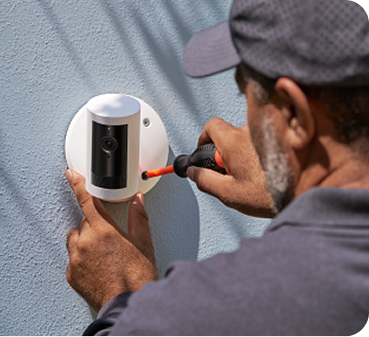
Modifications and extensions to existing wiring available at additional cost (billed separately). Extension available only for low-voltage wiring (PoE or Plug-in USB-C).