Arrow UpBack

Ring Help

Help Resources

  • Home

    Ring Help Home

    Arrow Up
  • Wifi Help

    Arrow Up
  • Ring Protect

    Arrow Up
  • Ring App Help

    Arrow Up
  • Power & Battery Help

    Arrow Up
  • All Categories

    Arrow Up
Arrow UpBack

Setup & Install

Learn all about setting up and physically installing your Ring devices.

Related Articles
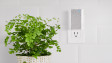
  • A white and gray Chime mounted on a white wall near wooden kitchen utensils

    Set up Ring Chime, Chime Plus, and Chime Pro

    Set up your Ring Chime, Chime Plus and Chime Pro devices in the Ring app with this step-by-step guide.
    Arrow Up
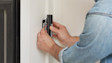
  • Hands installing a Wired Doorbell 2K Plus on white wall.

    Installing Wired Doorbell 2K

    Arrow Up
  • Image showing a home owner installing Battery Doorbell 2K Plus.

    Installing Battery Doorbell 2K Plus

    Arrow Up
  • Installing Ring Air Quality Monitor

    Arrow Up
  • Installing Ring Car Tracker and Alarm

    Arrow Up
  • Installing Wired Doorbell 4K Pro Hardwired

    Arrow Up
  • Installing Wedge Kit for Wired Doorbell 4K Pro

    Follow these step-by-step installation instructions for your Wedge Kit for Wired Doorbell 4K Pro.

    Arrow Up
  • Installing Solar Charger for Battery Doorbells (2026)

    Arrow Up
  • Installing Plug-In Mount for Floodlight Cams (2nd gen)

    Installation instructions for the Plug-in mount for Cams (2nd gen)

    Arrow Up
  • Installing Solar Panel for Battery Doorbell 2K

    Arrow Up
  • Arrow UpBack
  • 1
  • 2
  • 3
  • 4
  • 5
  • …
  • 8
  • Next Arrow Up
  • Arrow UpBack
  • 3
  • 4
  • 5
  • 6
  • Next Arrow Up
English (US)Change
©2026 Ring LLC or its affiliates
|
Privacy
|
Licenses
|
Terms of Service