Arrow UpBack

Ring Help

Help Resources

  • Home

    Ring Help Home

    Arrow Up
  • Wifi

    Arrow Up
  • Ring Protect

    Arrow Up
  • Ring App

    Arrow Up
  • Power & Battery

    Arrow Up
  • All Categories

    Arrow Up
Arrow UpBack

Power & Battery

Recharging the battery, hardwiring Ring devices and troubleshooting power.

Related Articles
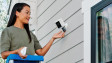
  • Person inserting a quick release battery into a white Ring security camera on a wall.

    Charging your Ring Security Camera batteries

    Check your battery level and charge your device's battery.
    Arrow Up
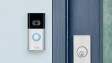
  • Ring Video Doorbell mounted on white door frame with blue illuminated button

    Ring Plug-In Adapter (2nd Generation)
    Arrow Up
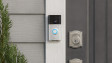
  • Ring Video doorbell mounted next to front door with decorative lock

    Ring devices and extreme temperatures

    Learn how to combat the effect of hot and cold weather on battery-powered Ring doorbells and security cameras.

    Arrow Up
  • Installing your hardwired transformer kit

    Arrow Up
  • Troubleshooting Solar Charger and Solar Panel

    Tips for when your solar accessory is not charging.

    Arrow Up
  • Understanding Power over Ethernet (PoE) and Power over Ethernet Plus (PoE+)

    Arrow Up
  • Understanding low battery notifications

    Arrow Up
  • Charging Station for Quick Release Battery Pack

    Arrow Up
  • Understanding Dual Power Mode

    Arrow Up
  • Troubleshooting power mode

    Arrow Up
  • 1
  • 2
  • Next Arrow Up
  • 1
  • 2
  • Next Arrow Up
English (GB)Change
©2026 Ring LLC or its affiliates
|
Privacy
|
Licenses
|
Terms of Service